Digital Design Studio
Work across RTL/SystemVerilog development, ISA design, supported analysis, verification, and Evolve in one product workspace.
Explore the workspaceHover or select a dot to explore the workspace.
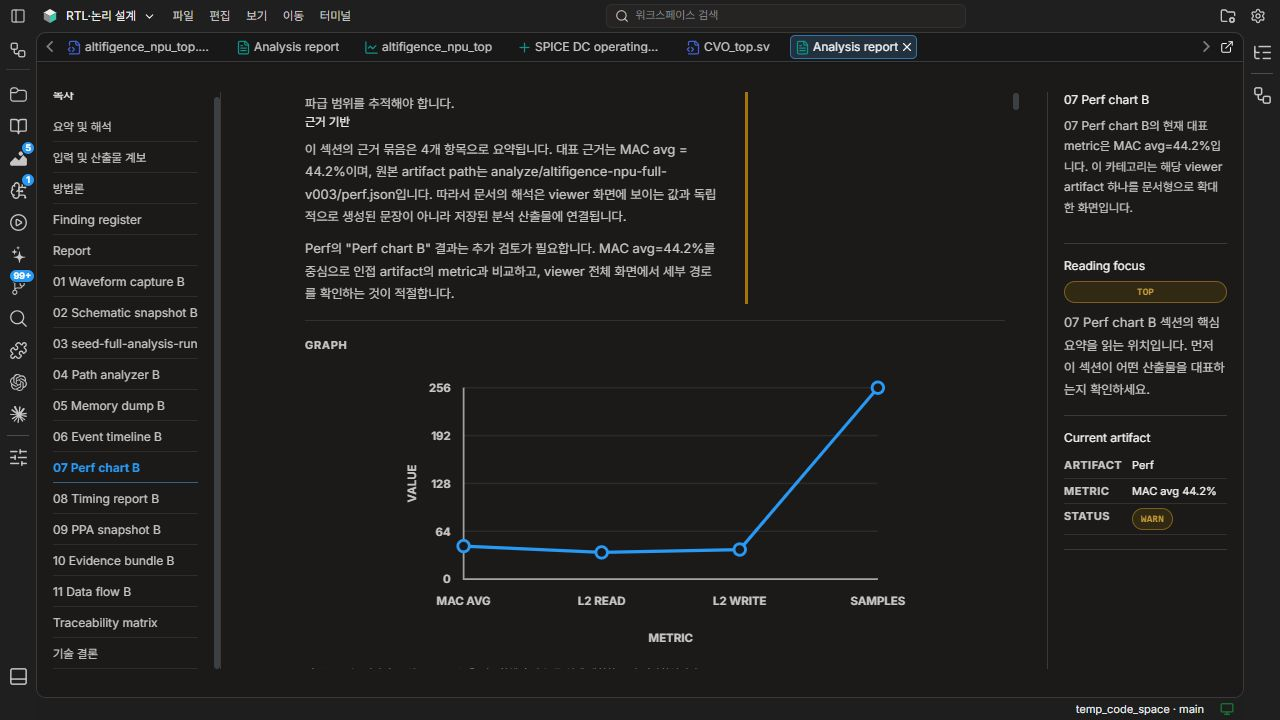
Move between saved runs and their waveforms, schematics, performance results, and reports.
Review the performance chart alongside its interpretation and source artifact.
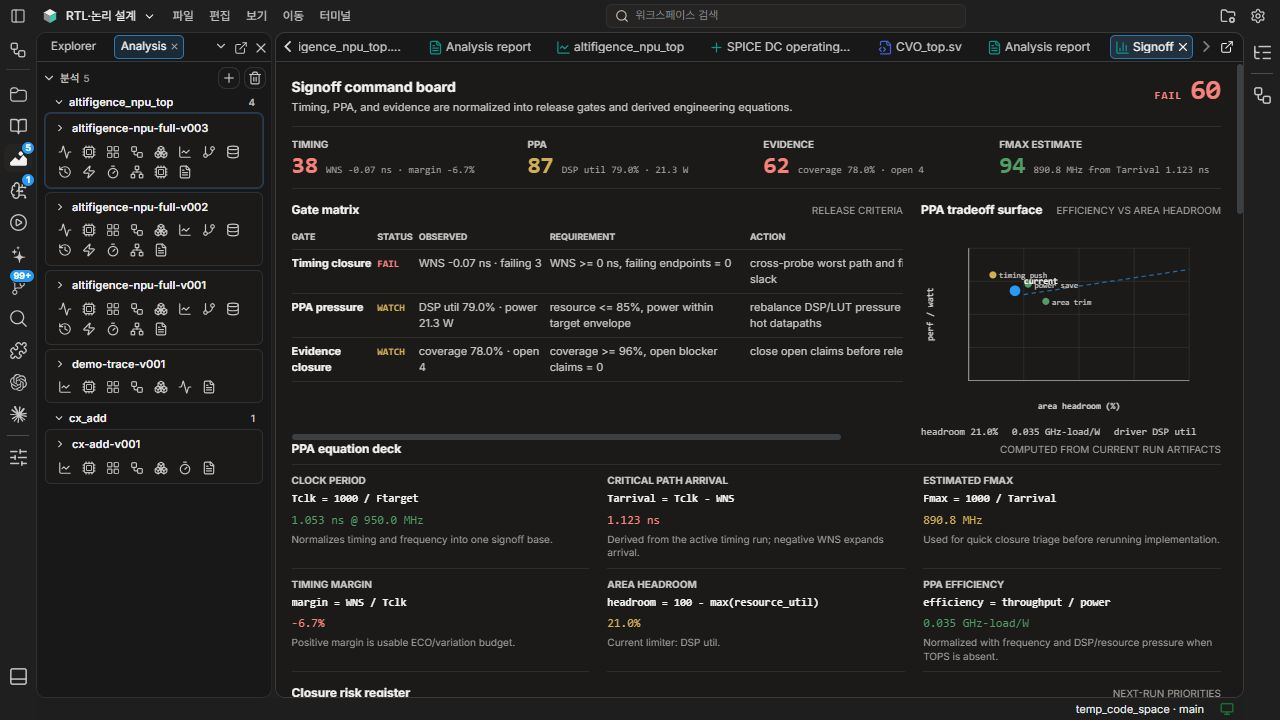
Compare observed results with requirements and review the next action for each gate.
Inspect clock period, arrival time, estimated frequency, and resource headroom from the current run.
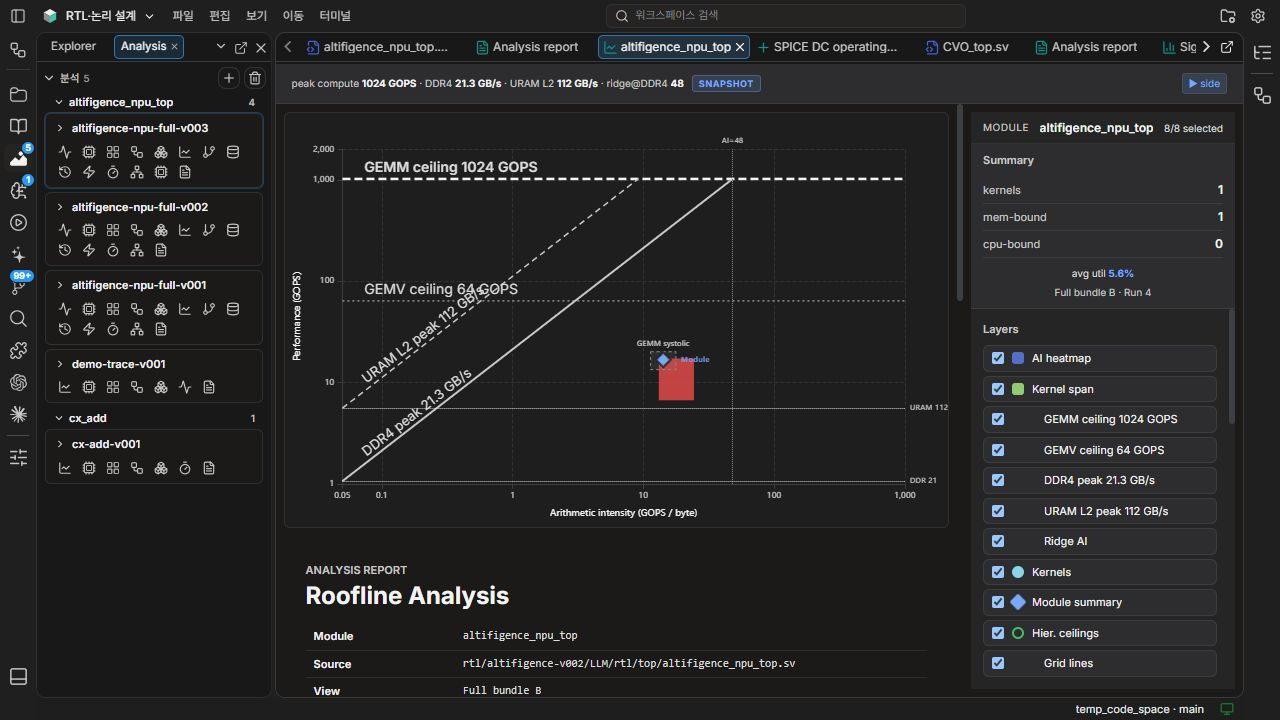
Locate measured kernels against compute ceilings and memory bandwidth.
Choose the limits, kernels and labels shown alongside the run summary.
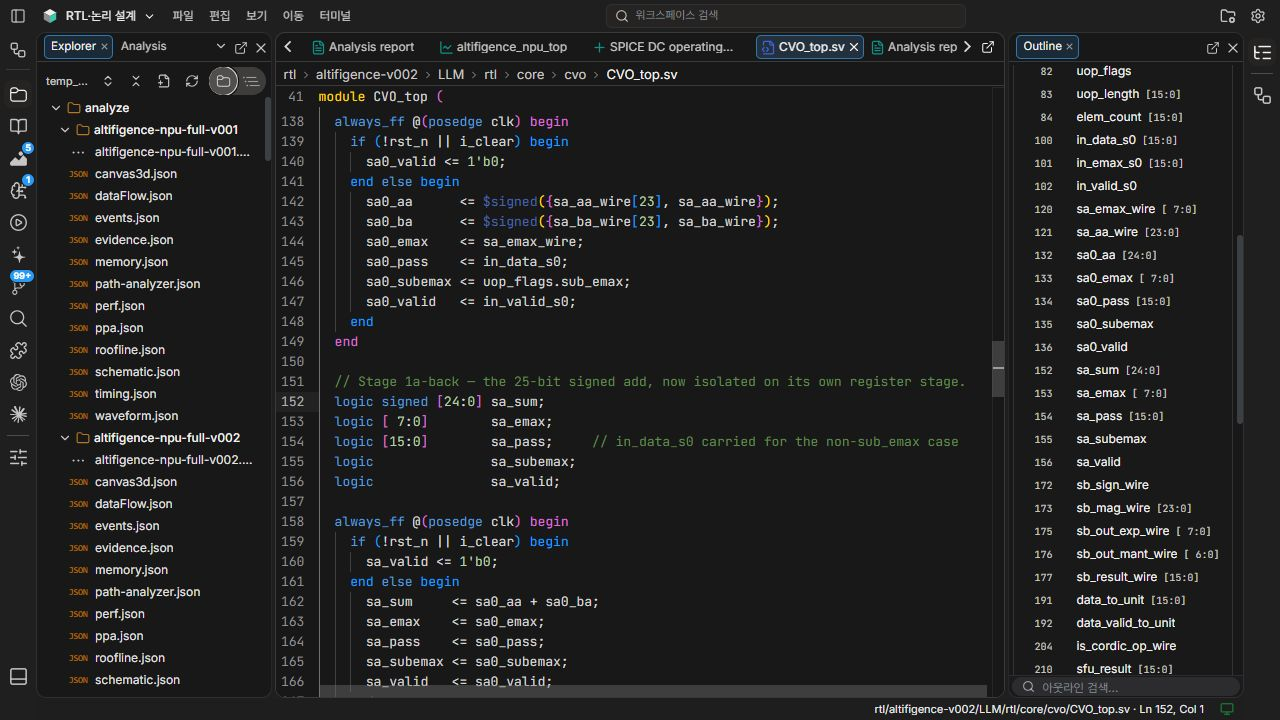
Navigate module instances and their source locations without losing the project structure.
Review inputs, outputs, and internal signals alongside the active source file.
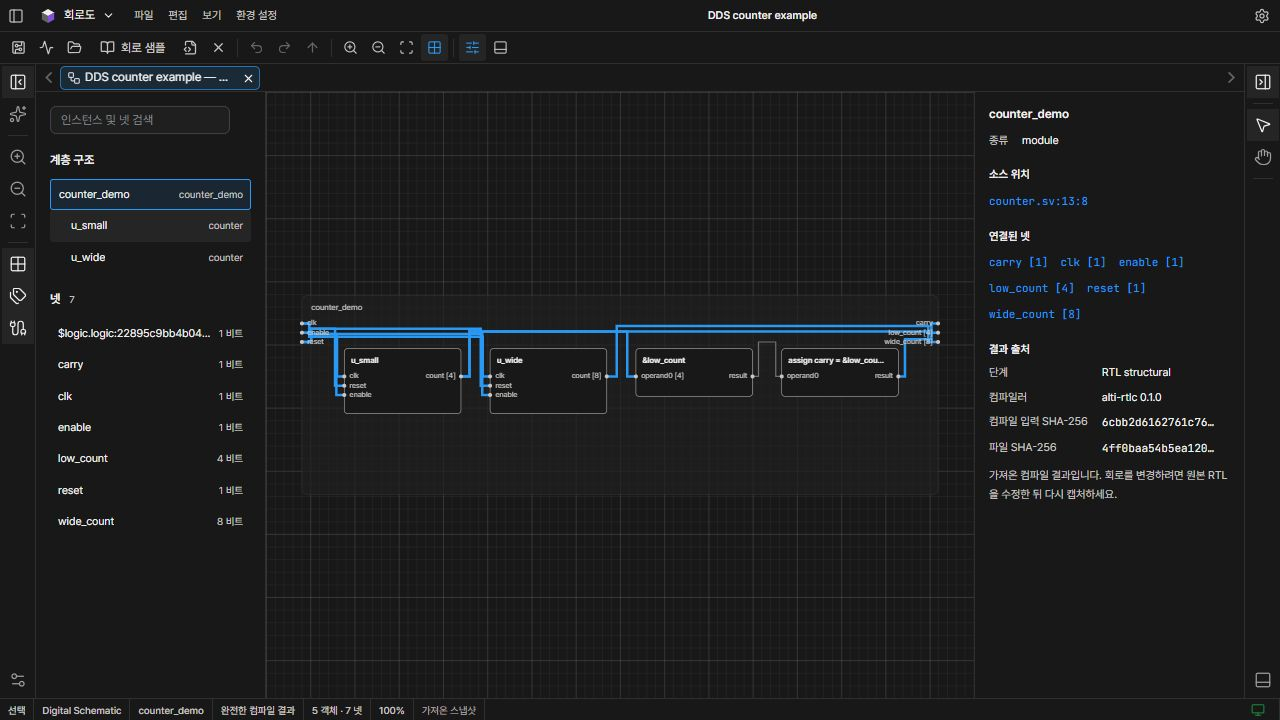
Inspect a module and follow its incoming and outgoing connections across the schematic.
Review the selected cell’s ports, nets, signal categories, and connected peers.
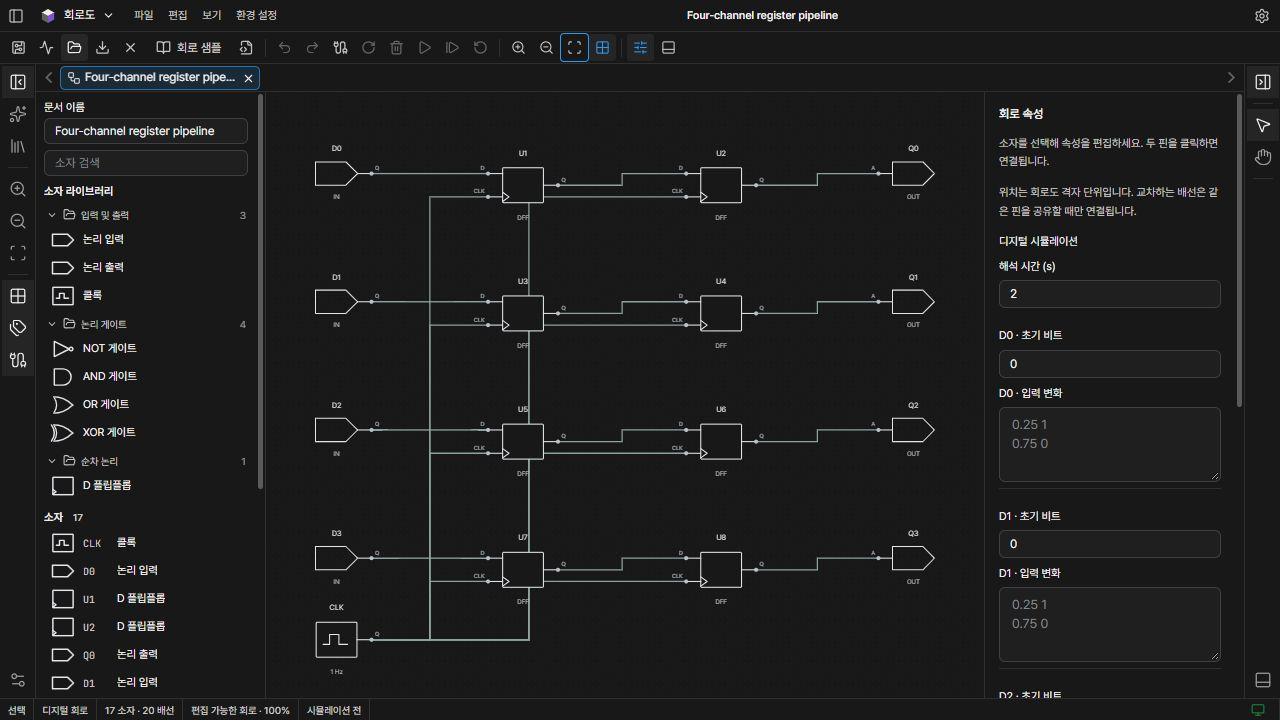
Explore components and their connections on the schematic canvas.
Inspect the selected component and its circuit parameters.